Xpra Documentation
Features
Xpra integrates remote applications with your local desktop by forwarding windows, devices, and data while adapting display output to each client.
Configure features graphically
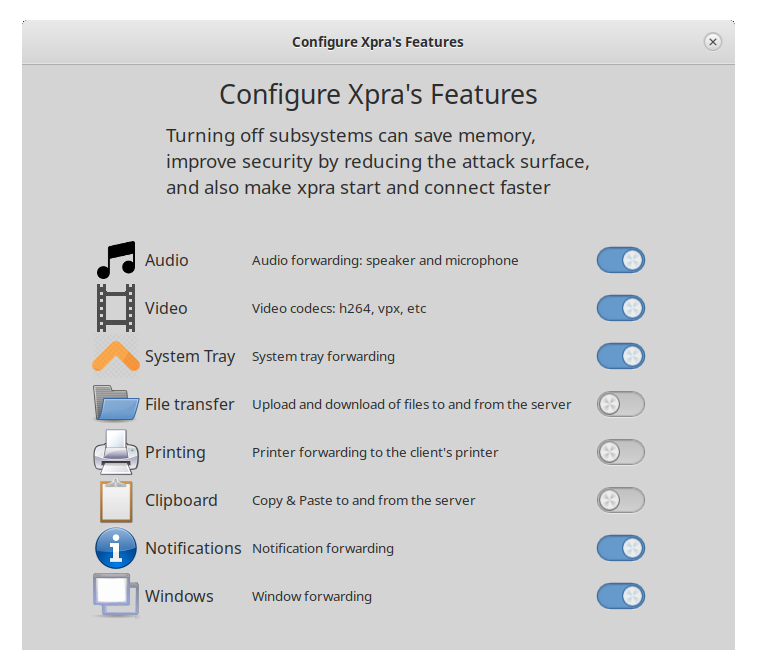
Features can be configured using the GUI. Open Xpra, choose Configure, then select Features to turn individual subsystems on or off. See the usage guide for the other graphical tools and command-line examples.
Feature guides
Choose a category to learn how each forwarded feature works and how to configure it.
Related documentation
Explore session types, connectivity, security, performance, and deployment.
Sessions and clients
- Seamless and desktop modes
- Shadow existing displays
- HTML5 client
- Session sharing
- Platform support
Networking and security
- Types of network connections
- Authentication
- Encryption with AES or SSL
- Session discovery via mDNS
- Shared memory and vsock connections
Performance and graphics
- Automatic picture encoding
- Hardware acceleration
- OpenGL accelerated rendering
Deployment
- Proxy server connection multiplexing
- Running as a system service